
Skills & Endorsements Strategy

Table of Contents
Your LinkedIn skills section is like a directory of your abilities. But most people treat it like a random list:
“Communication, Leadership, Project Management, Microsoft Excel, Time Management, Teamwork, Creativity, Problem Solving…”
Generic, vague, and forgettable. Recruiters skip over it.
Strategic skills sections? They’re specific, keyword-rich, and actually help you get found:
“Google Analytics 4, SEO Optimization, Keyword Research, Content Strategy, WordPress, Semrush, CMS, Data Analysis…”
These skills tell recruiters exactly what you can do, and they’re searchable terms.
Boost your Entire Profile
Explore expert career resources, job updates, and guidance at Frontlines Media.

Why Your Skills Order Matters
LinkedIn shows your top 3 skills prominently on your profile. Recruiters see these first. The rest are hidden behind “see all skills” button.
Your top 3 skills should be:
- Most relevant to your target role (what you want to be hired for)
- Most strongly endorsed (what you’re credible in)
- Most searchable (keywords recruiters actually use)
Example for a Digital Marketer:
Your top 3 should be: “Google Analytics,” “SEO,” “Content Marketing”
NOT: “Microsoft Word,” “Time Management,” “Communication”
Why? Because recruiters searching for digital marketers look for specific, technical skills. They don’t search for “good communication.”
How to Choose Your Skills List
Step 1: Research Your Target Role (30 minutes)
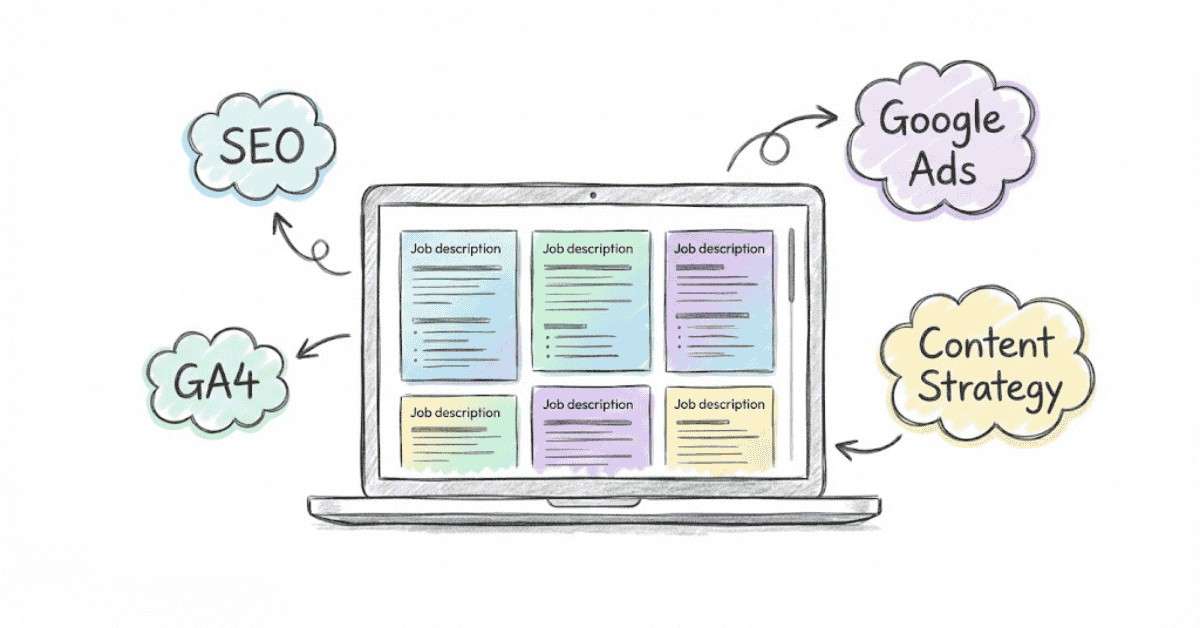
Open 10 job descriptions for positions you want. Extract required skills. Make a list of:
- Technical skills (tools, software, methodologies)
- Hard skills (specific competencies)
- Soft skills (but only if they’re frequently mentioned)
Example for Digital Marketing role:
Technical: Google Analytics 4, Google Ads, SEO, Keyword Research, Content Marketing, Social Media Marketing, HubSpot
Hard Skills: Email Marketing, Campaign Management, A/B Testing, Landing Page Optimization
Soft Skills: Project Management, Team Collaboration (if mentioned 5+ times)
Step 2: Audit Your Current Skills
Look at your LinkedIn skills list. How many overlap with your research?
- Good overlap (70%+)? You’re on the right track.
- Poor overlap? Your skills list doesn’t match your target role. Time to update.
Step 3: Prioritize Your Top 10 Skills
LinkedIn recommends listing 10-20 skills (quality over quantity). Choose skills that:
- Match 3+ job descriptions you researched
- You can demonstrate proficiency in
- Are specific (not vague)
- Include both technical and soft skills
Step 4: Arrange in Strategic Order
Your order should be:
- Most relevant to target role (most searchable)
- Most endorsed (credibility signal)
- Most marketable (what makes you competitive)
Example Ranking:
❌ Random order:
- Teamwork
- Communication
- Project Management
- Google Analytics
- SEO
- Content Writing
✅ Strategic order:
- Google Analytics 4 (most searchable for marketing roles)
- SEO Optimization (second most common keyword)
- Content Marketing (third most common)
- Google Ads (technical, differentiator)
- Project Management (coordination skill)
Team Leadership (shows seniority)
Level Up Your Skills
Strengthen your endorsements with job-ready, industry-demanded skills. Explore Job-Ready Courses →
The Endorsement Strategy That Actually Works
Here’s the uncomfortable truth: endorsements have zero correlation with actual skill. Someone can endorse you for “Excel” after you opened a spreadsheet once.
But recruiters still use endorsements as a credibility signal. More endorsements = higher confidence (even if it’s not perfect science).
Strategic endorsement tactics:
Tactic 1: Endorse Others First (Reciprocity)
This is the simplest hack. Look at 5-10 connections’ profiles. Endorse them for skills you genuinely believe they have. Many will return the favor and endorse you.
This isn’t manipulation—it’s just acknowledging real skills. Most people appreciate the validation.
Tactic 2: Add Recent Work to Skills
When you add a new role or achievement, link it to a skill. Example: After you complete a Google Analytics course, add “Google Analytics” and link your certificate or project. This signals you just learned/refreshed this skill.
Tactic 3: Build Credibility Through Work Experience
Add specific mentions of skills in your work experience description. When skills are tied to achievements, endorsements are more credible.
Example:
If your work experience says “Increased organic traffic using SEO,” people are more likely to endorse you for “SEO” than if you just list the skill with no context.
Tactic 4: Remove Weak Endorsements
LinkedIn lets you remove endorsements or hide certain skills. If you have 50 endorsements for “Microsoft Word” but you’re targeting marketing manager roles, hide that skill. It doesn’t help your positioning.
Go to your skills section → Click three dots → “Hide” the skill.
Tactic 5: Ask Your Network (Strategically)
This is bold but works. After completing a certification or major project:
“Hey [name], I just completed the Google Analytics 4 certification. If you’ve seen my work with analytics, would you mind endorsing me for GA4?”
Most won’t mind. You’re asking because you actually learned something, not just for vanity endorsements.
Skill Combinations That Boost Visibility
Recruiters don’t just search for single skills. They use Boolean searches (combining multiple skills). Understanding these combinations helps you rank higher.
For Digital Marketers:
- “Google Analytics” + “SEO” (very common)
- “Content Marketing” + “Social Media” (very common)
- “Google Ads” + “Campaign Management” (very common)
- “Email Marketing” + “HubSpot” (moderately common)
For Data Analysts:
- “SQL” + “Python” (very common)
- “Tableau” + “Data Visualization” (very common)
- “Excel” + “Data Analysis” (very common)
For Project Managers:
- “Project Management” + “Agile” (very common)
- “Scrum” + “Team Leadership” (very common)
- “Risk Management” + “Stakeholder Management” (moderately common)
If your target role frequently searches for skill combinations, make sure you list both skills.
Want More Career Tips?
Discover more guides that help you increase profile visibility and credibility.. Read Career Guides →
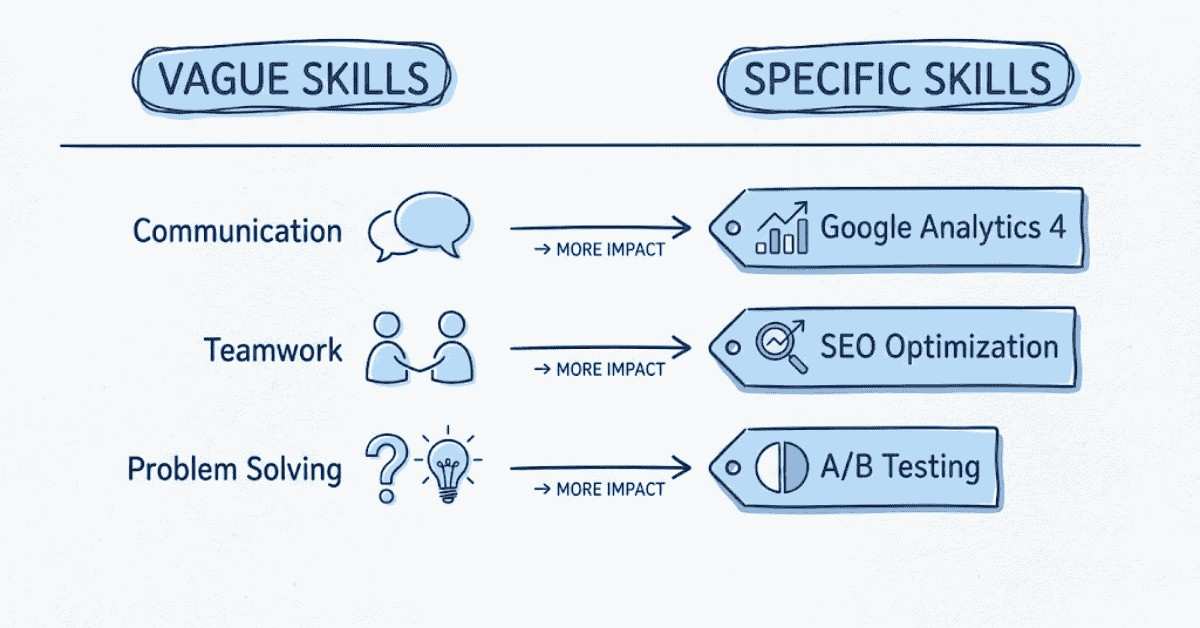
The Vague vs. Specific Skills Comparison
Vague Skills (Avoid):
- Communication
- Teamwork
- Problem Solving
- Leadership
- Time Management
- Creativity
These are in every profile. They don’t differentiate you. And recruiters using technical search filters won’t find you searching for “teamwork.”
Specific Skills (Prioritize):
- Google Analytics 4
- SEO Optimization
- Keyword Research
- React.js
- Python
- Tableau
- HubSpot
- Scrum Master
- A/B Testing
- Conversion Rate Optimization
These are searchable, specific, and prove technical competency.
When to Include Soft Skills:
Only include soft skills if:
- They’re mentioned in 50%+ of job descriptions you researched
- You have work experience demonstrating them (not just a skill you claim)
- They’re combined with hard skills (not alone)
Example: “Project Management” + “Agile” is better than “Project Management” alone.
apibus leo.
Common Skills Mistakes
Mistake 1: Too Many Generic Skills
❌ “Communication, Teamwork, Leadership, Problem Solving, Time Management, Creativity, Adaptability, Reliability”
This could describe anyone. You blend in with 50 million other profiles.
✅ “Google Analytics 4, SEO Strategy, Keyword Research, Technical SEO, Link Building”
This is specific. Only candidates with these exact skills will show up.
Mistake 2: Outdated Skills Ranked First
❌ Your top skill is “Microsoft Word” (not relevant to your target role)
✅ Your top skill is “Google Analytics 4” (highly relevant)
Mistake 3: Skills That Don’t Match Your Experience
❌ You list “Python” as a skill but never mention it in your work experience
Recruiters will check. If there’s no evidence, they doubt credibility.
Mistake 4: Ignoring Certification Skills
If you completed Google Analytics 4 certification, add “Google Analytics 4” as a skill. Link your certificate. This proves you have it.
Many people add certifications to their profile but don’t add the corresponding skill. Recruiters miss it.
Mistake 5: Not Updating After New Roles or Learning
Static skills lists hurt you. When you:
- Start a new job
- Complete a course/certification
- Learn a new tool
- Develop new expertise
Add it to your skills section and move it higher. Recent activity signals current competency.
Action Steps: Optimize Your Skills This Week
Day 1 (Research):
- Open 10 job descriptions for your target role
- Extract 15-20 common skills
- Identify skill combinations that appear frequently
Day 2 (Audit):
- Look at your current LinkedIn skills
- Highlight skills that match your research
- Identify gaps (skills you need to add or develop)
Day 3 (Reorganize):
- Create your ideal skills list (10-15 skills)
- Rank them strategically (most relevant first, most endorsed second, most marketable third)
- Remove generic skills that don’t match your target role
Day 4 (Update):
- Update your LinkedIn skills section
- Reorder your top skills
- Hide any irrelevant skills
This Week:
- Start endorsing connections (3-5 people daily)
- Ask 2-3 connections to endorse your top skills (especially new ones)
- Monitor which skills get endorsed most (tells you which ones to emphasize)